// CNC CAM in your browser
CAM for CNC routers and mills, in your browser.
From drawing to safe G-code: profiles, pockets, holes, V-carving and inlays, nesting on sheet goods, and 3D models (beta), with a full simulation and safety checks on every file, for the router or mill you already have.
No install · Works offline · Your files stay yours
For CNC routers and mills: one plan for every machine you have.
// What it does
Router and mill CAM, not a G-code toy.
Signs, pockets, carving
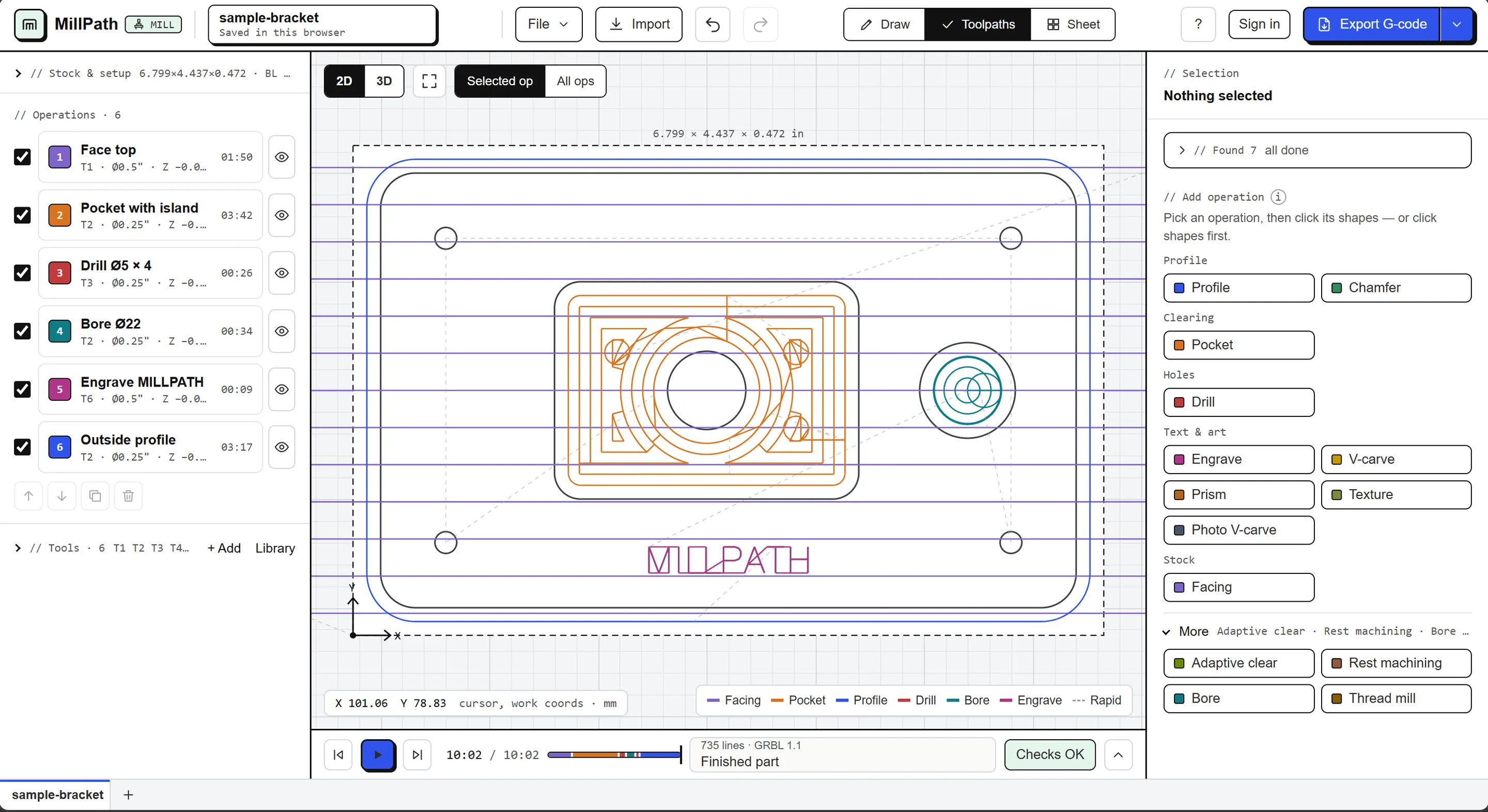
Profiles with tabs, pockets, adaptive clearing, drilling, thread milling, V-carving and inlays, prism carving, textures and photo V-carving.
3D models (beta)
Open STEP, IGES, STL or OBJ files in the browser, rough them level by level and finish them, every move compared with the model.
Nesting that saves sheet
True-shape nesting for plywood, MDF and other sheet goods: cabinet parts, furniture, signs. Part in part, a placement that leaves one usable strip, a remnant library, grain lock per part and as many sheets as needed.
Checked before it cuts
Every toolpath is simulated and every G-code file is read back: collisions, gouges, wrong units and wrong feeds are found before the machine moves.
Your machine's own dialect
Built-in posts for popular controllers, or MillPath learns your post from a file that already runs, or from your Vectric post. GRBL machines run straight from the browser over USB.
Parts, costs and quotes
Flanges, plates with holes, gussets and brackets from a few sizes; the job's cost from its run time and material, and a quote for the customer.
No install, works offline
Open it in a browser, install it like an app, keep working without internet. Signed in, your projects are also backed up to your account (you can turn it off).
// How it works
Three steps to a file you can trust.
Open or draw
Import a DXF, DWG or SVG, make a part from a few sizes, or draw shapes and text right in MillPath.
Pick operations
Click a shape and choose profile, pocket, drill, V-carve… MillPath suggests what fits what it finds in the drawing.
Simulate, check, export
Watch the cut, read the safety checks, export G-code for your controller.
Learn by doing
Nine short lessons inside the app, from your first part to sending G-code to your machine.
// Controllers
G-code for the machine you have.
Built-in posts for these controllers. Another one? MillPath learns your post from a file that already runs on your machine.
Start free, today.
15 days of Pro to start, then two exports a day free. Hobby $49 a year, Pro $89 a year.