// Docs
Plasma
With Plasma as the machine, the operations are Cut (through, with the kerf) and Mark (a scriber, or the torch at low current where the post can mark). There is no depth: the torch cuts through.
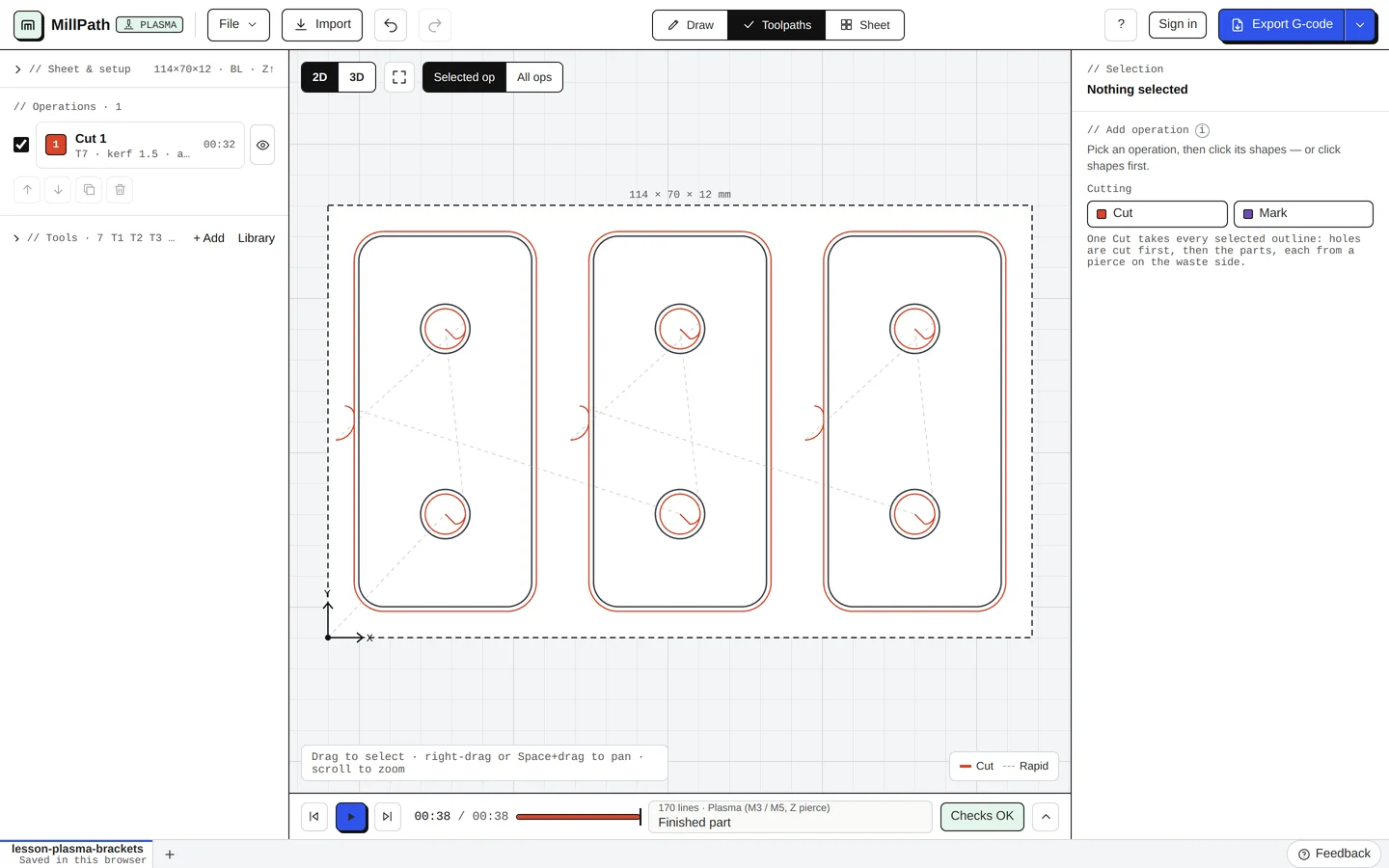
Kerf, pierce and leads
The torch pierces in the scrap and comes onto the line with a lead-in (an arc or a straight line), so the pierce mark is not on the part. MillPath cuts holes before the part around them, and picks the side for each outline: outside for parts, inside for holes. Small holes start from their centre, at a slower feed, with torch height control held.
Every setting of a Cut
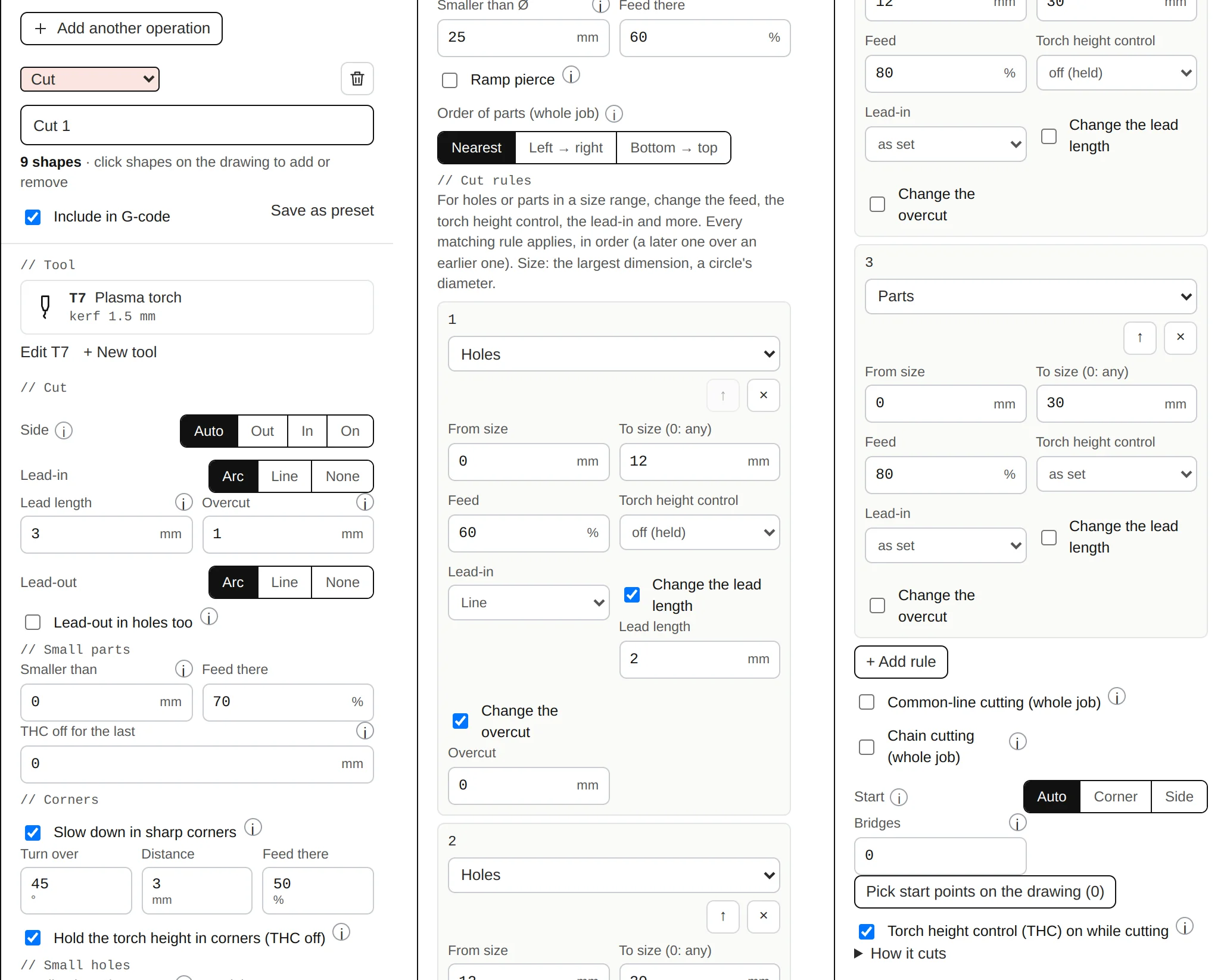
| Setting | What it does |
|---|---|
| Side | Auto: outlines are cut outside, holes inside, so the part keeps its drawn size (half the kerf off the line). Out, In or On to force one side. |
| Lead-in / Lead-out | Arc, Line or None: how the torch comes onto the line and leaves it. |
| Lead length | The pierce is made this far off the outline on the waste side, so its crater is not on the part. Shortened by itself where a hole or a nearby part leaves less room. |
| Overcut | Cut on past the start so the end meets it cleanly. |
| Lead-out in holes too | Off: holes end with the overcut only. Once the cut passes its start the slug can drop, so a lead-out cuts nothing and the torch height control may dive. |
| Small parts: smaller than, feed there | Parts whose longest side is under this are cut slower, with torch height control off for the whole part (a small part can tip or move as it is cut free). |
| THC off for the last | Torch height control off for this length before each outline ends: as the cut closes, the part or slug can move and the torch would follow it down. 0 = off. |
| Slow down in sharp corners: turn over, distance, feed there | Where the outline turns more than the angle, cut slower from the distance before to after the corner. |
| Hold the torch height in corners | The arc voltage rises as the speed drops, and a torch height control following it would dive into the plate. |
| Small holes: smaller than Ø, feed there | Holes below this diameter are pierced in their centre, cut slower and with torch height control off. 0 = off. A starting value: tune it to your cutter. |
| Ramp pierce | Pierce at pierce height, then come down to cut height along the lead-in instead of straight down, so less molten metal is blown back at the torch. |
| Order of parts (whole job) | Nearest: the next closest part. Left → right or bottom → top: in bands, so heat and parts already cut free stay behind the torch. Holes are always cut before the part around them. |
| Cut rules | For holes or parts in a size range: change the feed, the torch height control, the lead-in and more. Every matching rule applies, in order. Typical plasma rules fills in a set to start from. |
| Common-line cutting (whole job) | Parts nested a kerf apart share the cut between them: each shared edge is cut once, and the next part starts in that kerf. |
| Chain cutting (whole job), longest link | The torch stays lit from one part to the next, through the waste (never through a part), when that link is short: one pierce instead of one per part. |
| Start | Where outlines start when no point is picked: Auto, Corner or Side. Pick start points on the drawing sets them by hand. |
| Bridges, bridge width | Small uncut joints round each outside part, so it stays in the sheet until you break it out. |
| Torch height control (THC) on while cutting | Written only where the post has THC words (QtPlasmaC, or learned from your table's file). Off in small holes and at the end of each outline. |
Cut charts and the kerf test
In the tool editor, the cut chart keeps your settings per material and thickness: kerf, feed, current, pierce height and delay, cut height. Pick a line and its values go on the tool. The kerf test adds a 20 mm square with a 10 mm hole: measure both and MillPath tells you the kerf to set.
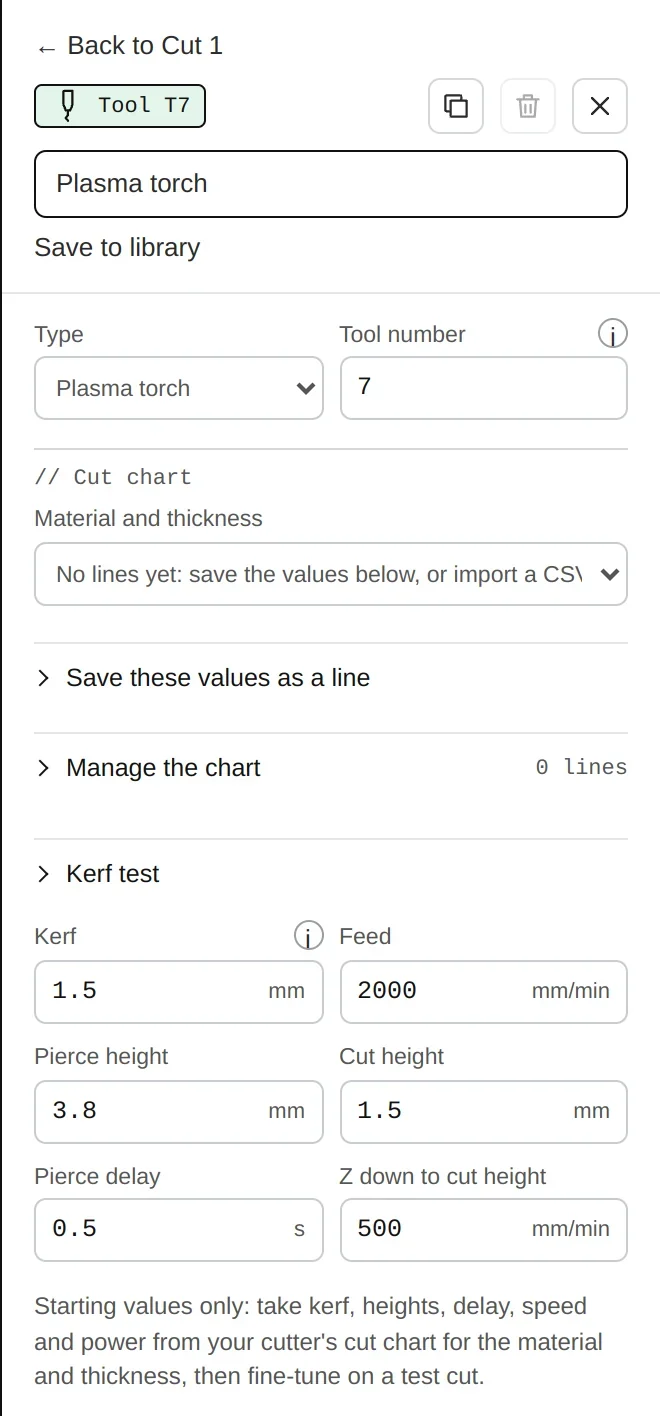
Edit the torch from the operation (Edit T7): Material and thickness picks a line of your chart; Save these values as a line keeps what you set; Manage the chart lists, edits and imports lines (CSV); Kerf test adds the test part.
Cut rules
In a Cut operation, cut rules change the cut by the kind of outline (hole or part) and its size: feed, torch height control on or held, the lead-in, overcut and the pierce. Typical plasma rules fills in a common set to start from.
Fewer pierces, less travel
- Chain cutting: the torch stays lit from one part to the next through the waste when the link is short (you set the longest link).
- Common-line cutting: parts nested a kerf apart share the cut between them (Nesting).
- Travel over cut parts: the torch rises only over parts and holes already cut; with a post that moves no Z it travels round them.
Posts
LinuxCNC QtPlasmaC (with its material numbers), Langmuir FireControl, Mach3 / Mach4 plasma and others: see Controllers. Run new files in the air first; the controller check makes a test program for your machine.